Units and stages
Add a squad, a character or a kit, and move it from the box to the display shelf.
A unit is whatever you paint as one: a character, a squad of ten, a tank, a box you have not opened yet. Most belong to a project, but a one-off model you are painting for fun does not have to.
Add a unit
- Press Add unit, on the Units page or on a project.
- Fill in the name and, if you like, the manufacturer, faction, army and how many models it has. Hobby Double suggests names you have used before as you type.
- Set the stage it is at now, and optionally the price you paid, when you got it, a link to the shop or file page, and notes.
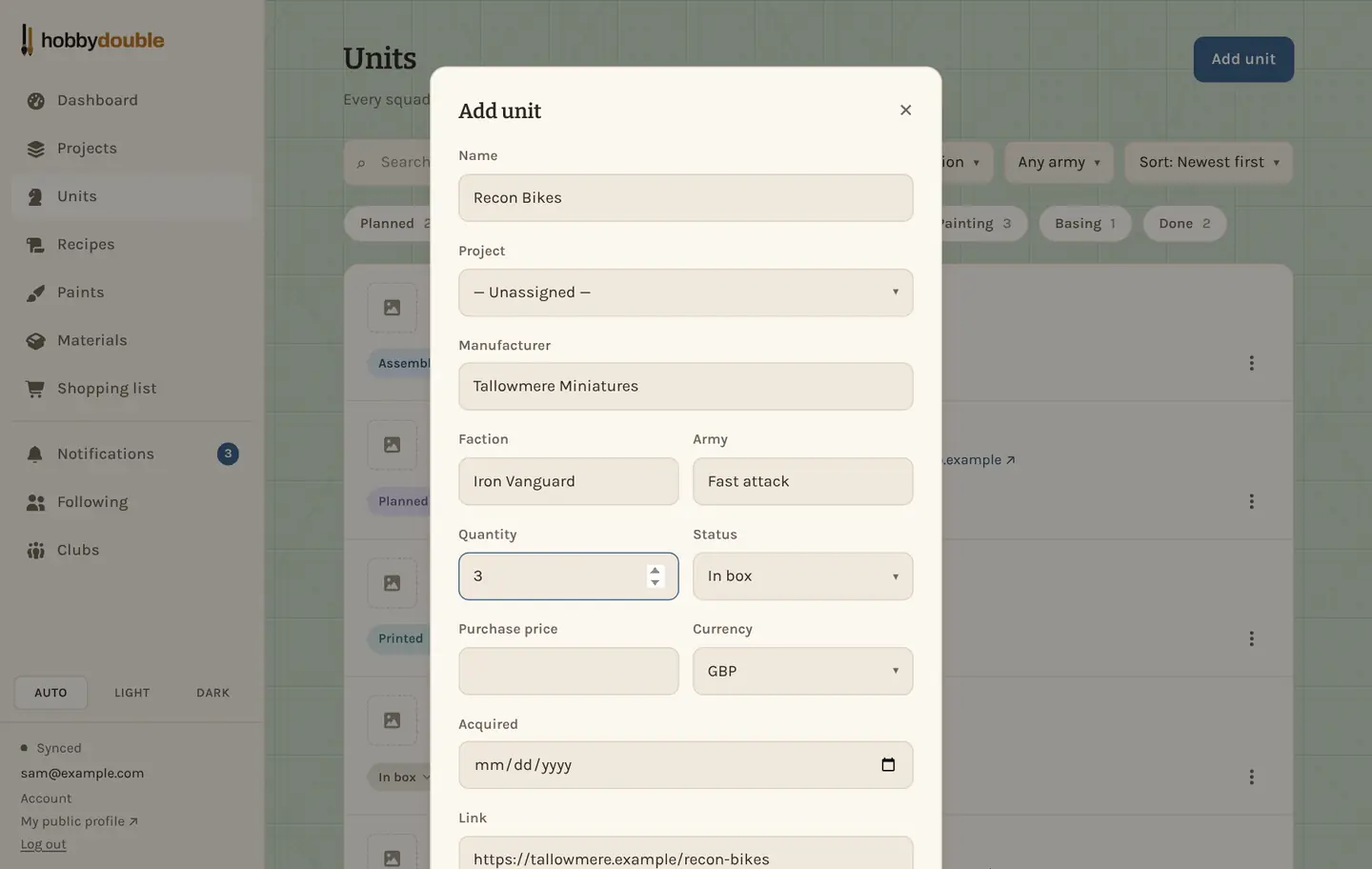
Adding models you painted before you started using Hobby Double? Tick Leave out of my stats and level so they don't count as this year's painting. A unit added as Done has it ticked already. See Stats, levels and trophies.
Adding a few of the same thing? Use Clone in a unit's ⋮ menu to copy it, then just change the name.
The stages
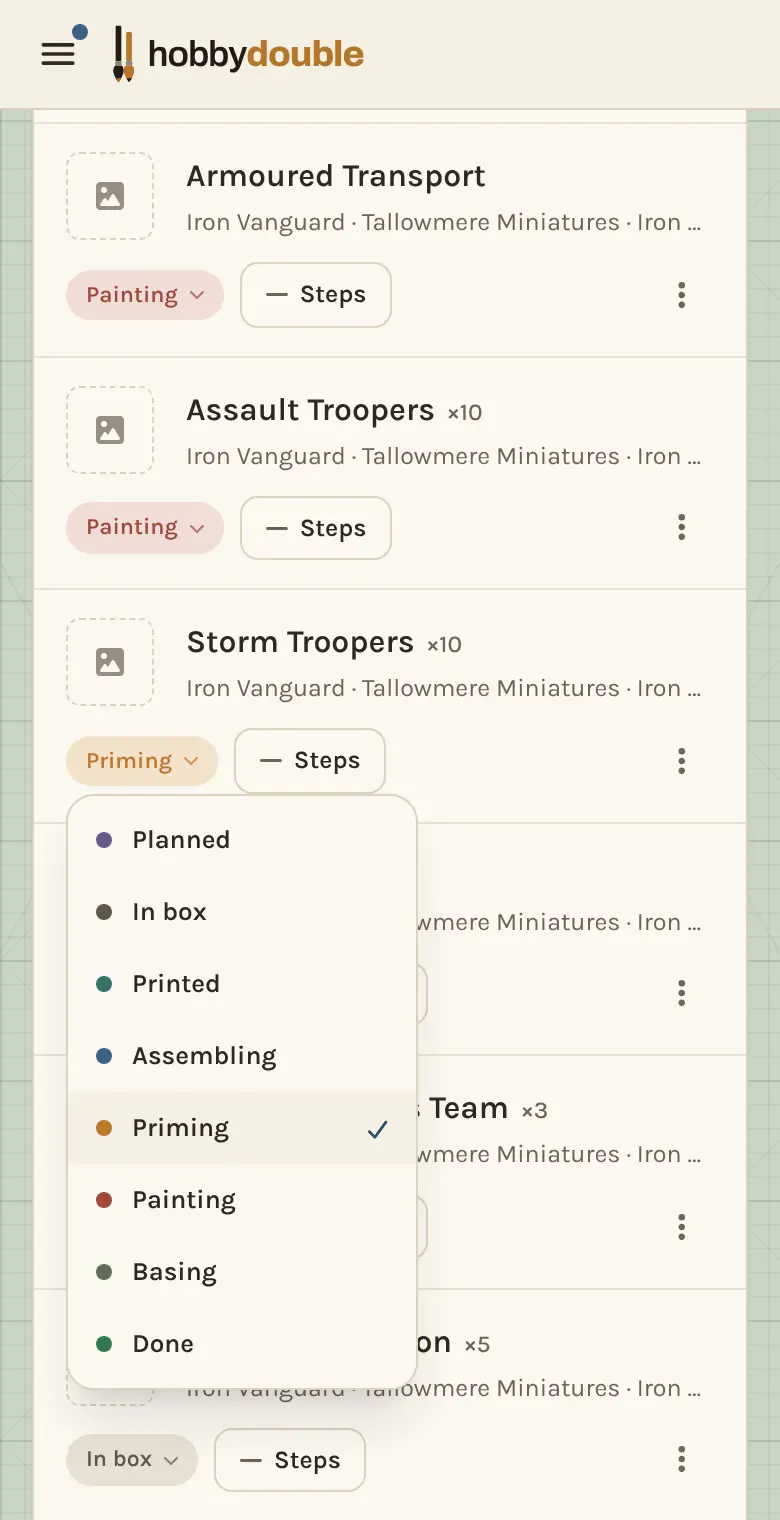
Every unit is at one of eight stages, in this order:
| Stage | Means |
|---|---|
| Planned | Not bought or printed yet. Planned units appear on your shopping list. |
| In box | Bought, still on the sprue or in the box. |
| Printed | A 3D print off the plate, the same point as "in box" for something that never came in one. |
| Assembling | Being built. |
| Priming | Built and being primed. |
| Painting | On the painting desk. |
| Basing | Painted, base being finished. |
| Done | Finished and ready for the table. |
Move a unit on
Tap the coloured stage badge on any unit and pick the new stage. On a project's board you can also drag the card to another column. Each change is added to your timeline, so the dashboard shows what you got done this week.
Find a unit
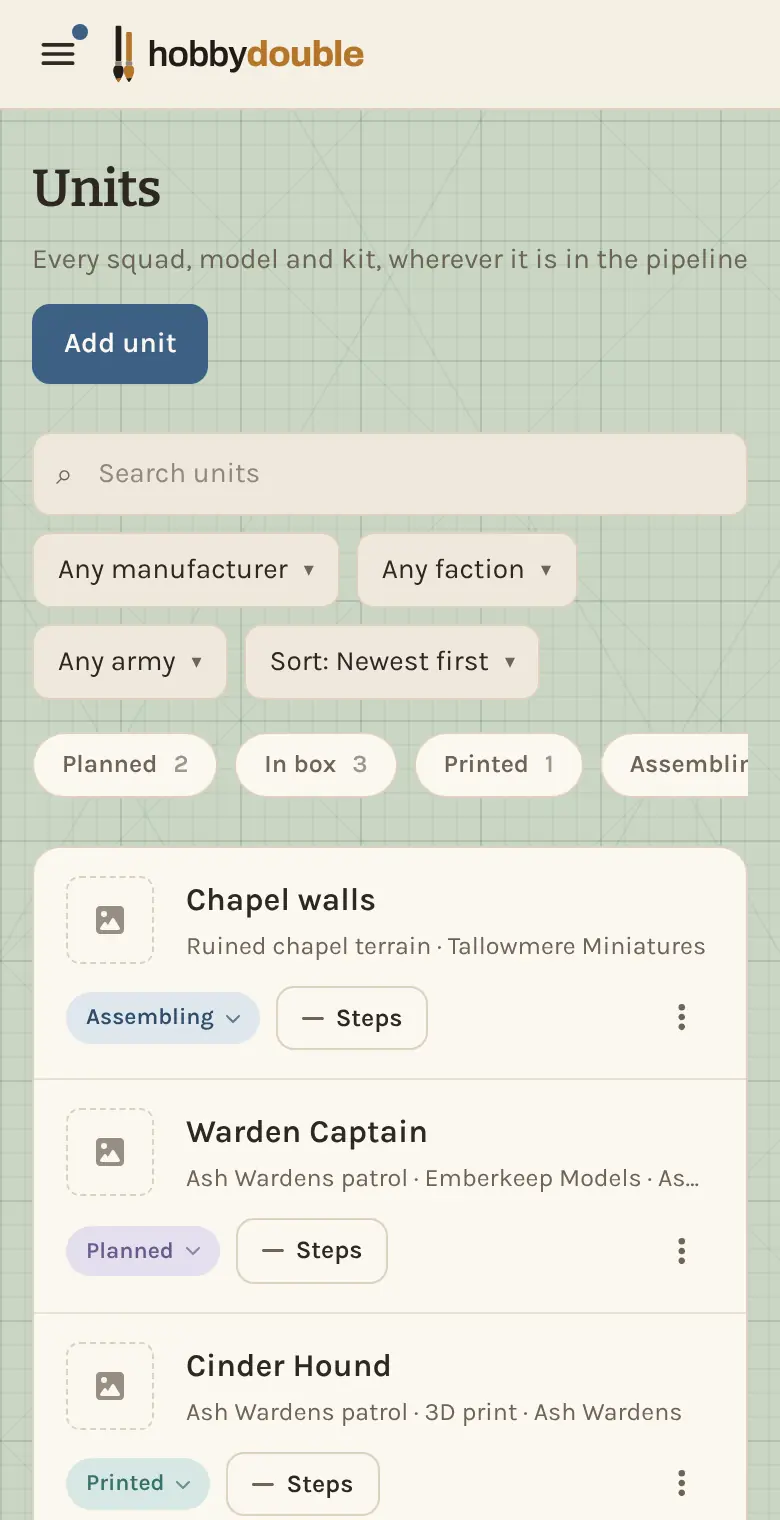
The Units page lists every unit you have, across all projects. Search by name, faction or manufacturer, narrow it with the filters, or tap one of the stage chips (such as Painting 3) to see only the units at that stage.
A unit's paint steps
Each unit has a Steps button. It opens the unit's own recipe: how this particular model was painted, step by step. Use it for the parts that differ from the project theme, such as the weathering on one tank. Copy steps from library in the ⋮ menu fills it from a recipe you already have. See Recipes and paint steps.
Screenshots show a sample account. Every name in them, from units and factions to paint brands and shops, is made up for these guides.