Stats, levels and trophies
See how much you painted this year, climb the levels, and keep each year's result in a trophy case.
The Stats page shows what you finished, what is still waiting and where the hours went, month by month. Your painting level sits on the dashboard and goes up as the models get done. Each year ends with a trophy.
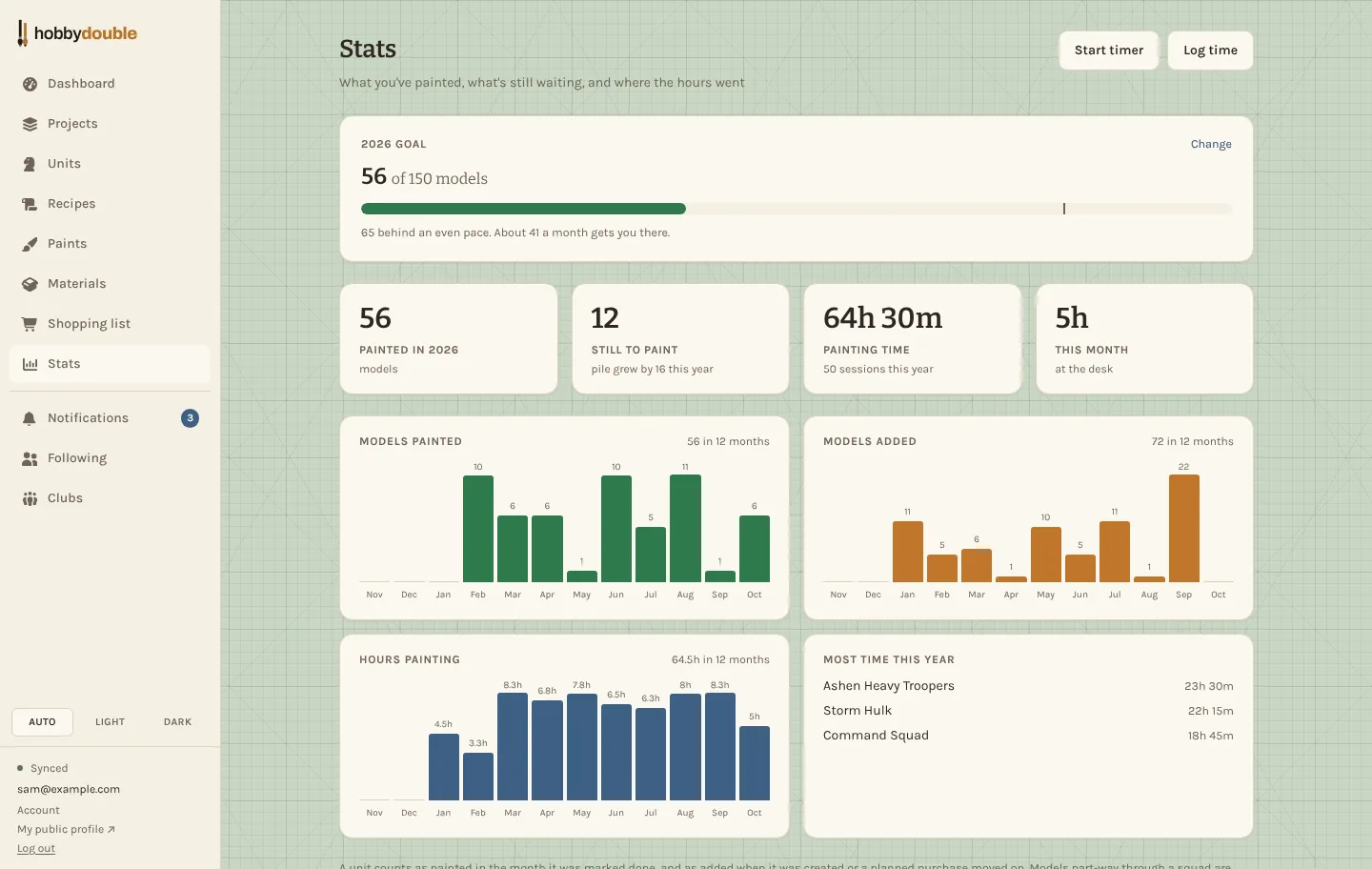
Your stats
- Models painted counts a unit in the month you marked it Done.
- Models added counts a unit when you add it, or when a planned purchase arrives.
- Painting time adds up your sessions. Press Start timer when you sit down to paint, or Log time afterwards, and pick the unit you worked on.
- Set a goal for the year and the bar shows whether you are on pace.
Levels
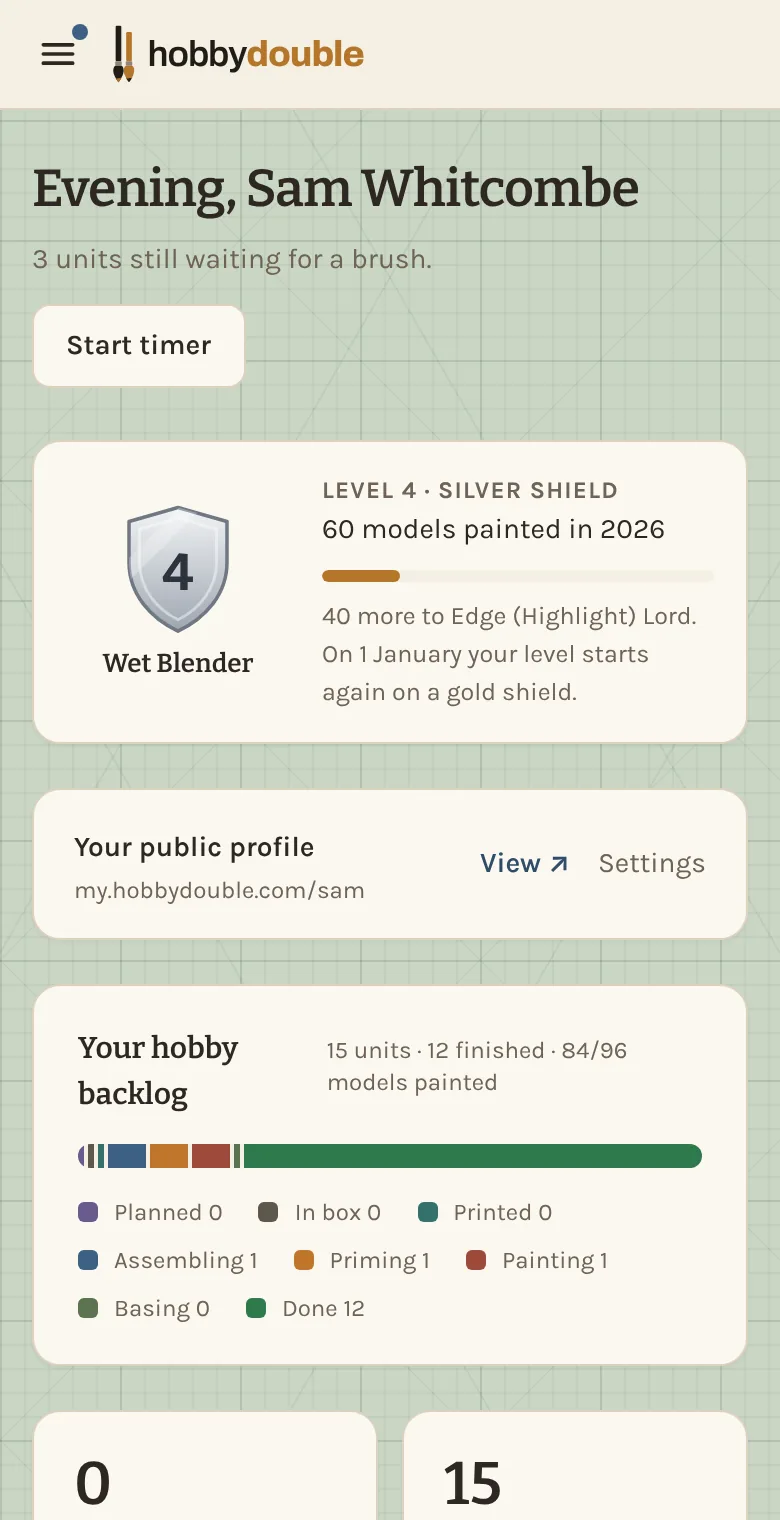
Every model you finish moves you up the levels, each with its own suitably silly title. A squad painted a few models at a time counts as you go, using its painted counter. Reaching a new level gets a fanfare and a notification.
The level counts one year of painting. On 1 January it goes back to level 1, so a slow year and a busy year each start from the same place.
Shields
Your level number sits on a shield. Each year you paint at least one model, the shield moves up a material the following January:
| Year | Shield |
|---|---|
| First | Wood |
| Second | Bronze |
| Third | Silver |
| Fourth | Gold |
| Fifth | Platinum |
| Sixth and after | Diamond |
One finished model is enough, so a year spent on a single competition piece counts as much as a year of hordes. A shield never goes back down.
The trophy case
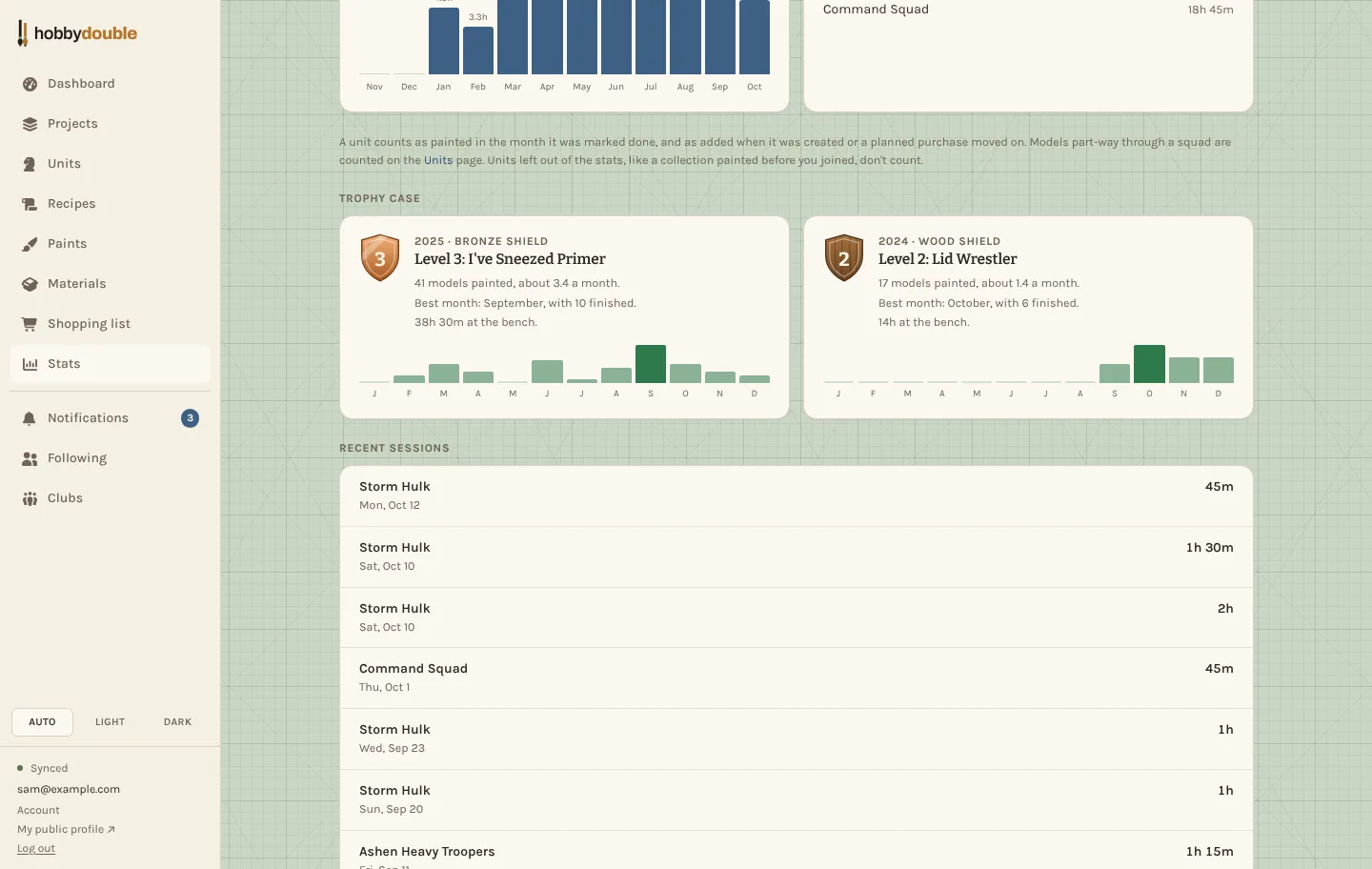
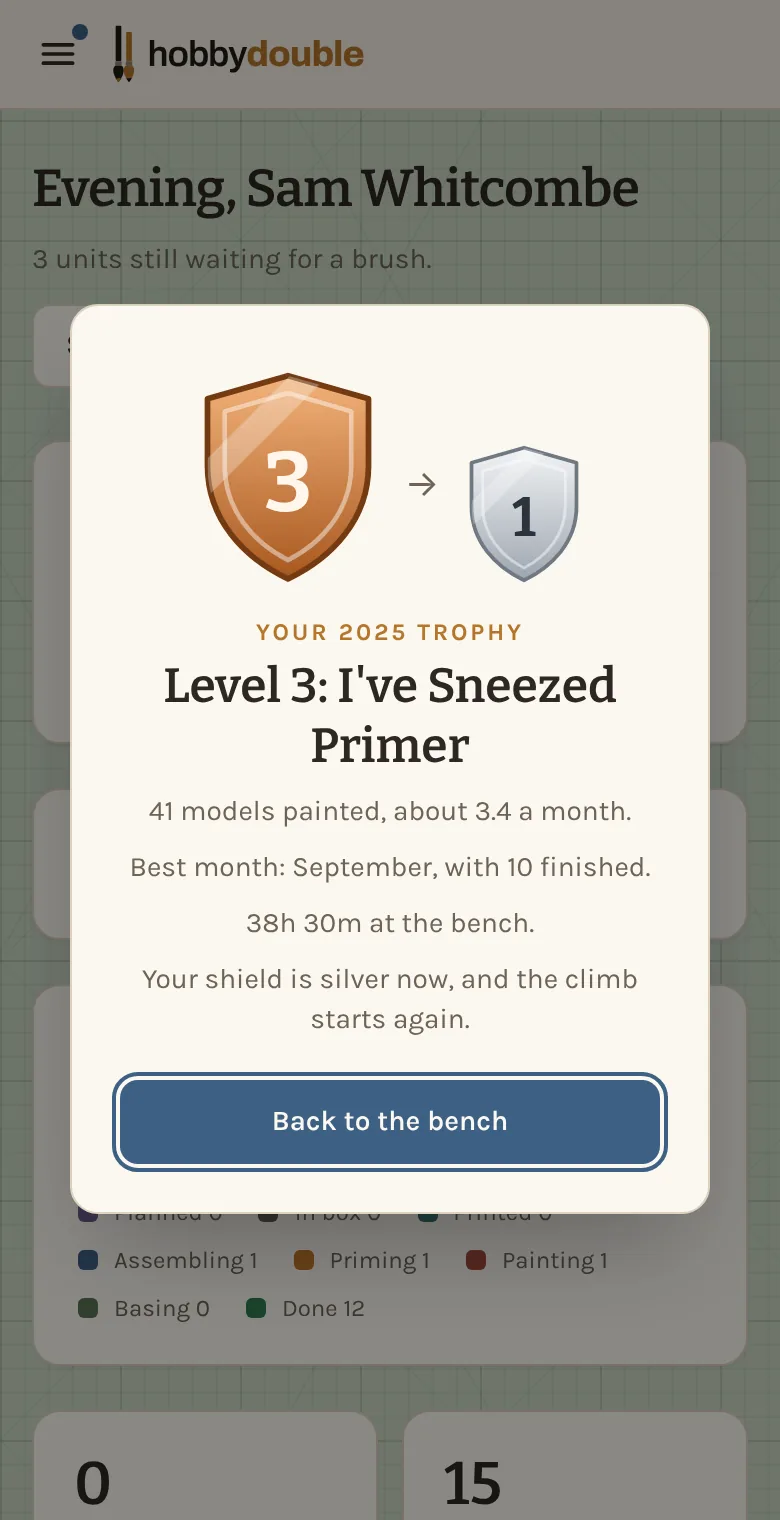
When a year ends, its final level goes into the trophy case at the bottom of the Stats page, along with how the year went: how many models you painted, about how many a month, your best month and your hours at the bench. The first time you open Hobby Double in the new year, a fanfare shows your trophy and your new shield, and a notification links back to it.
Models you painted before
Adding the army you painted years ago should not count as this year's work. Tick Leave out of my stats and level on a unit and it stays in your collection but counts towards neither your stats nor your level. When you add a unit that is already Done, the box is ticked for you. Untick it if you really did just finish it.
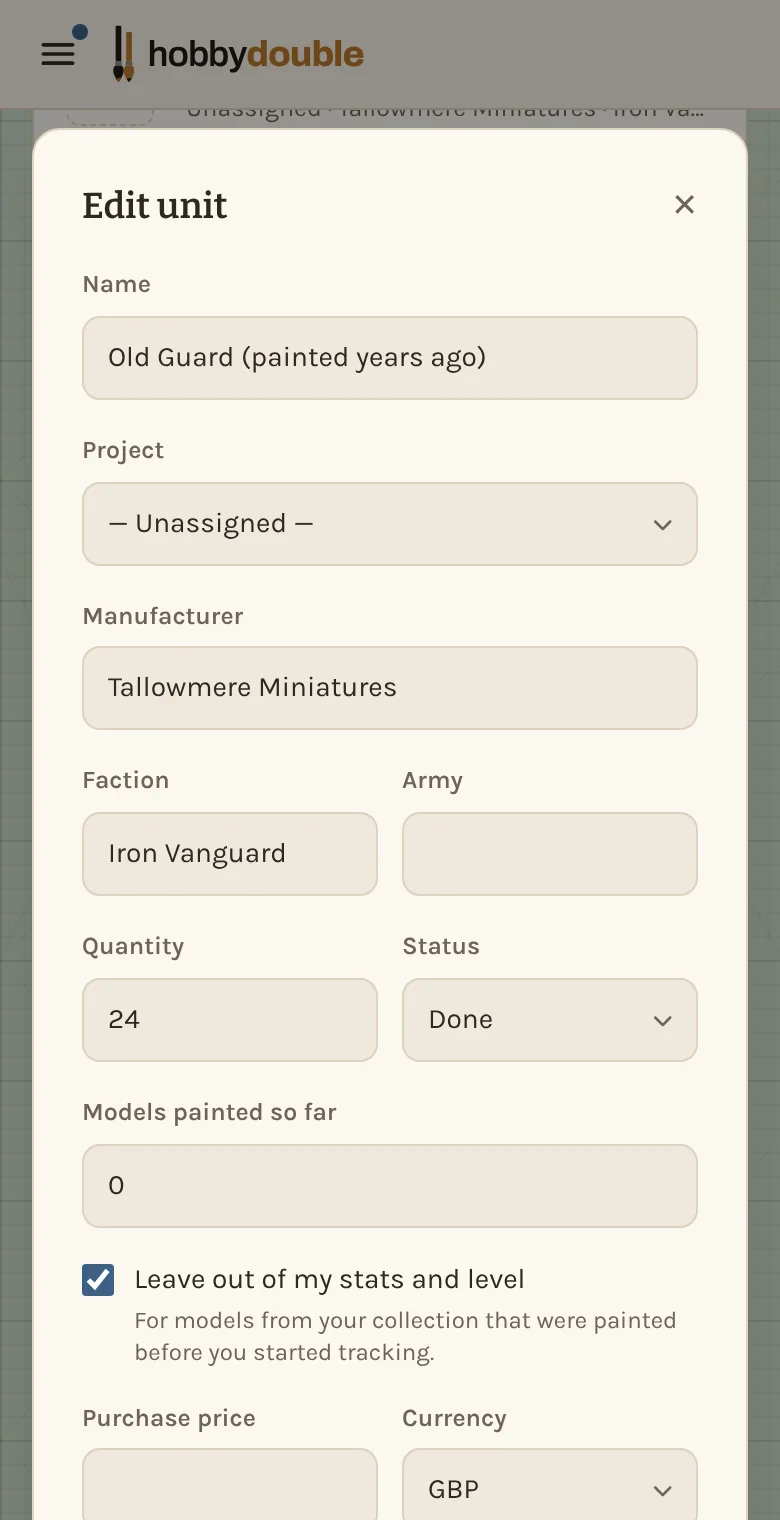
You can change it on any unit at any time. On the Units page, use Leave out of stats or Count in stats in the unit's ⋮ menu.
Screenshots show a sample account. Every name in them, from units and factions to paint brands and shops, is made up for these guides.